Work About Resume Email me

Experiments

AI Explorations

Things I built, broke, and learned using AI tools. Less process, more making.

01 — Moodboard Generator 02 — Raw Text → Data 03 — Prompt → Design 04 — Design → App
01
Claude v0

Moodboard Generator

Using keywords to generate a design system.

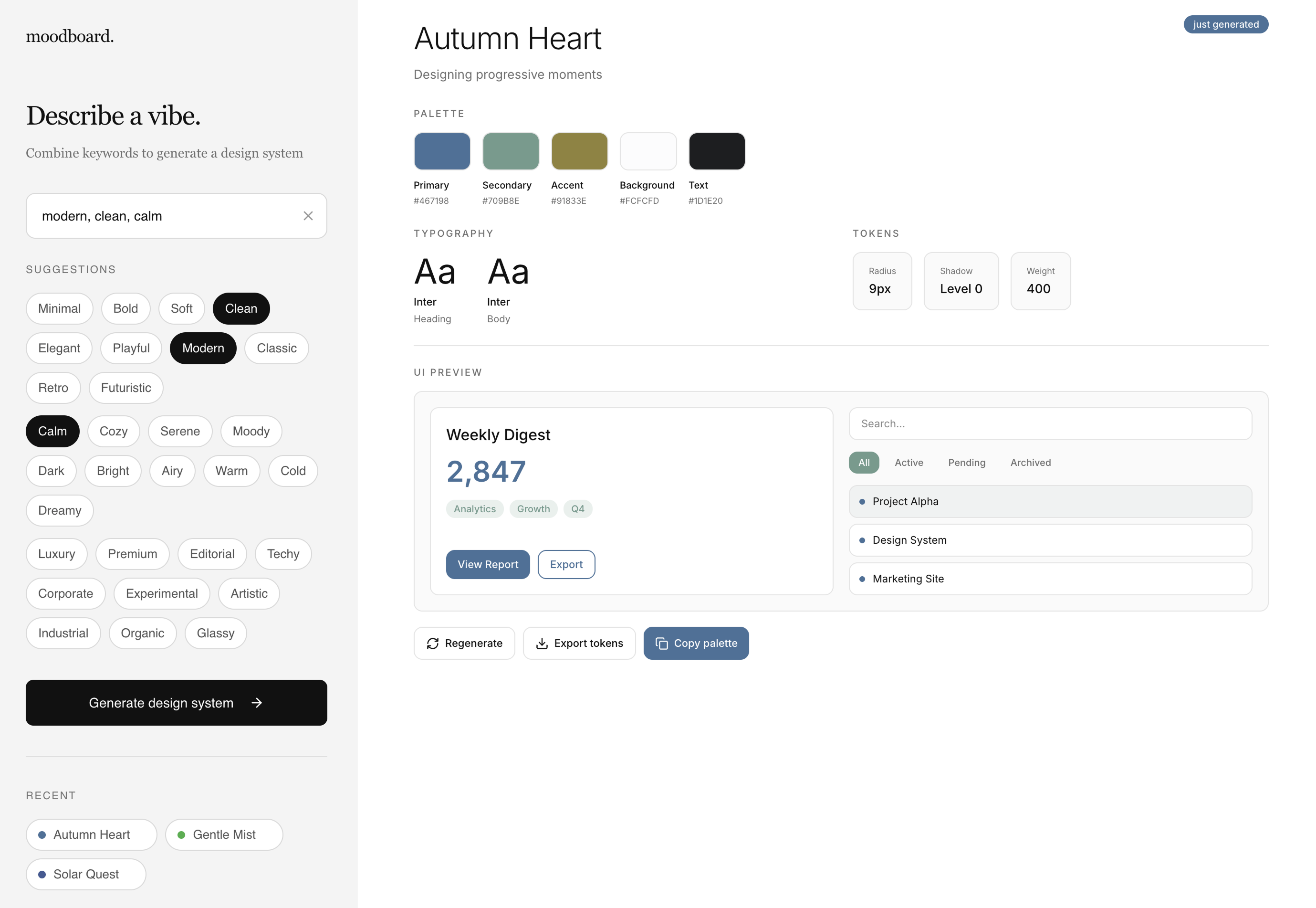
What if you could type a mood and get a full design system? I built a generator that turns keywords into color palettes, font pairings, and UI previews. As a designer, I think in moods and aesthetics constantly — but translating a feeling into a design direction always takes time and intuition. I wanted to compress that.

Moodboard Generator app — keyword input with generated palette, typography, and UI preview
Try it live

The core is a keyword DNA map — 30 words, each mapped to specific properties: a hue range, saturation level, border radius, font weight, and whether the palette skews light or dark. When you enter keywords, the system reads each word's DNA and blends them, averaging the properties across all inputs. No AI API. No prompt sent to a model. Pure algorithmic logic, defined by hand.

Star-gazing App — a three-part story
02
Claude ChatGPT JSON

Raw Text → Structured Data

Using AI to turn messy, scattered information about constellations into clean, usable JSON.

I started with a simple question: how can I use AI to build something from scratch? I wanted to make a star-gazing app, something that tells users about constellations and when to see them. The first problem was data. Astronomy databases exist, but they're either paywalled or deeply technical. Reference sites have what you need, buried inside long, inconsistently written paragraphs.

So I used Claude as an extraction engine. Not to chat, but to convert unstructured text into something I could actually build with. Before writing a single prompt, I figured out what the app actually needed to know about each constellation. Using ChatGPT as a sounding board and my own judgment, I landed on fields like hemisphere visibility, best viewing months, difficulty rating, mythology summary, cultural notes, and a one-word mood tag.

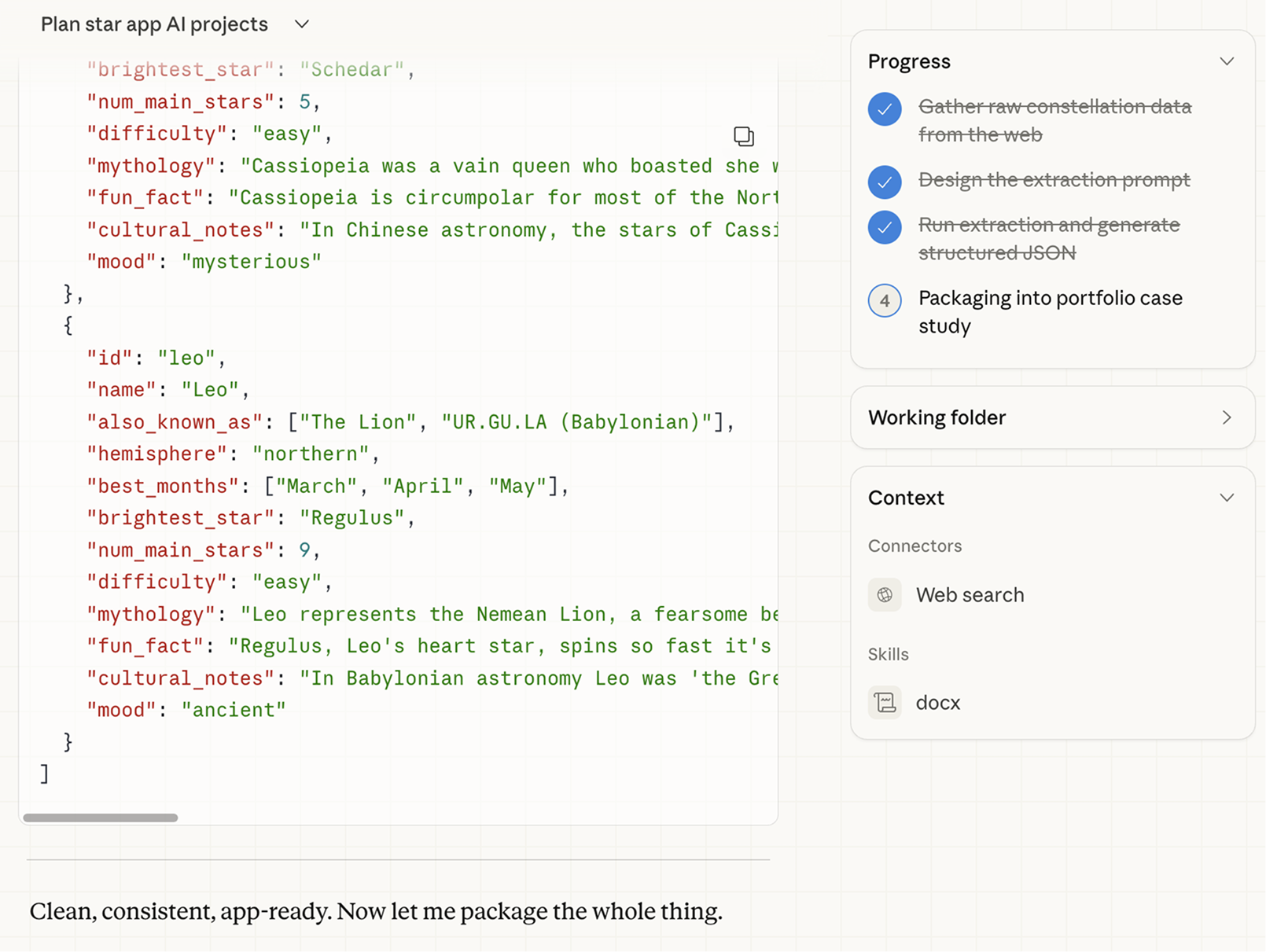
Claude extracting constellation data into structured JSON

The prompt itself was a mix of instructions and constraints: what I wanted, what the AI should not do, use null for unknown fields, match the schema exactly. Telling the AI what not to do turned out to matter more than telling it what to include. One clean prompt run produced four fully structured constellation objects, ready to use as real app data.

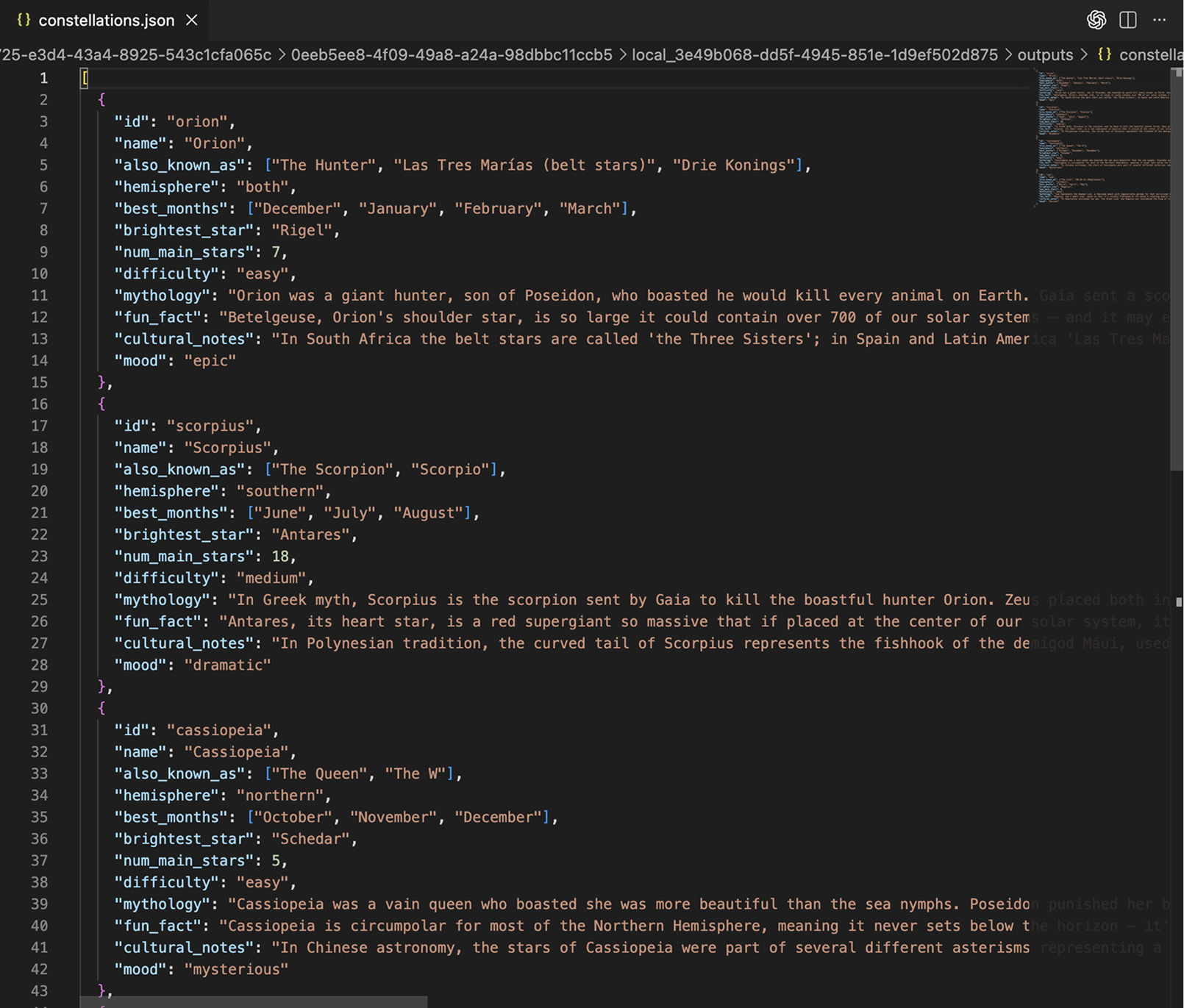
Final JSON output for Orion, Scorpius, Cassiopeia, Leo

"It's not the skill to use AI. It's the ability to manage it."

"Anyone can use a tool. Knowing how to direct it is the real skill."

"AI doesn't decide what matters. You do."

03
ChatGPT Claude Figma Make

Prompt → Design

Designing the star-gazing app UI in Figma Make, using AI for the feature list and the prompts, and my own judgment to decide what stays.

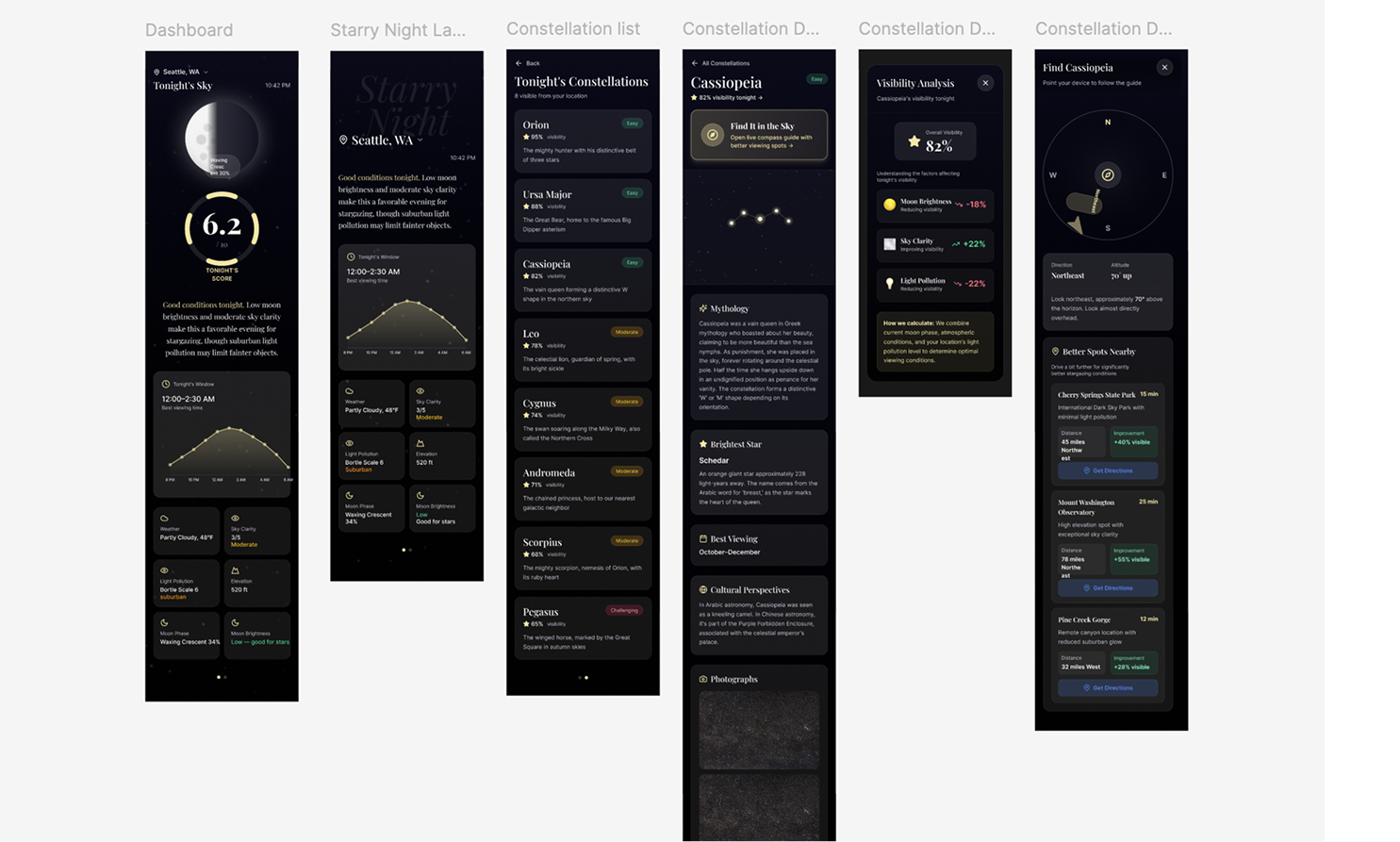
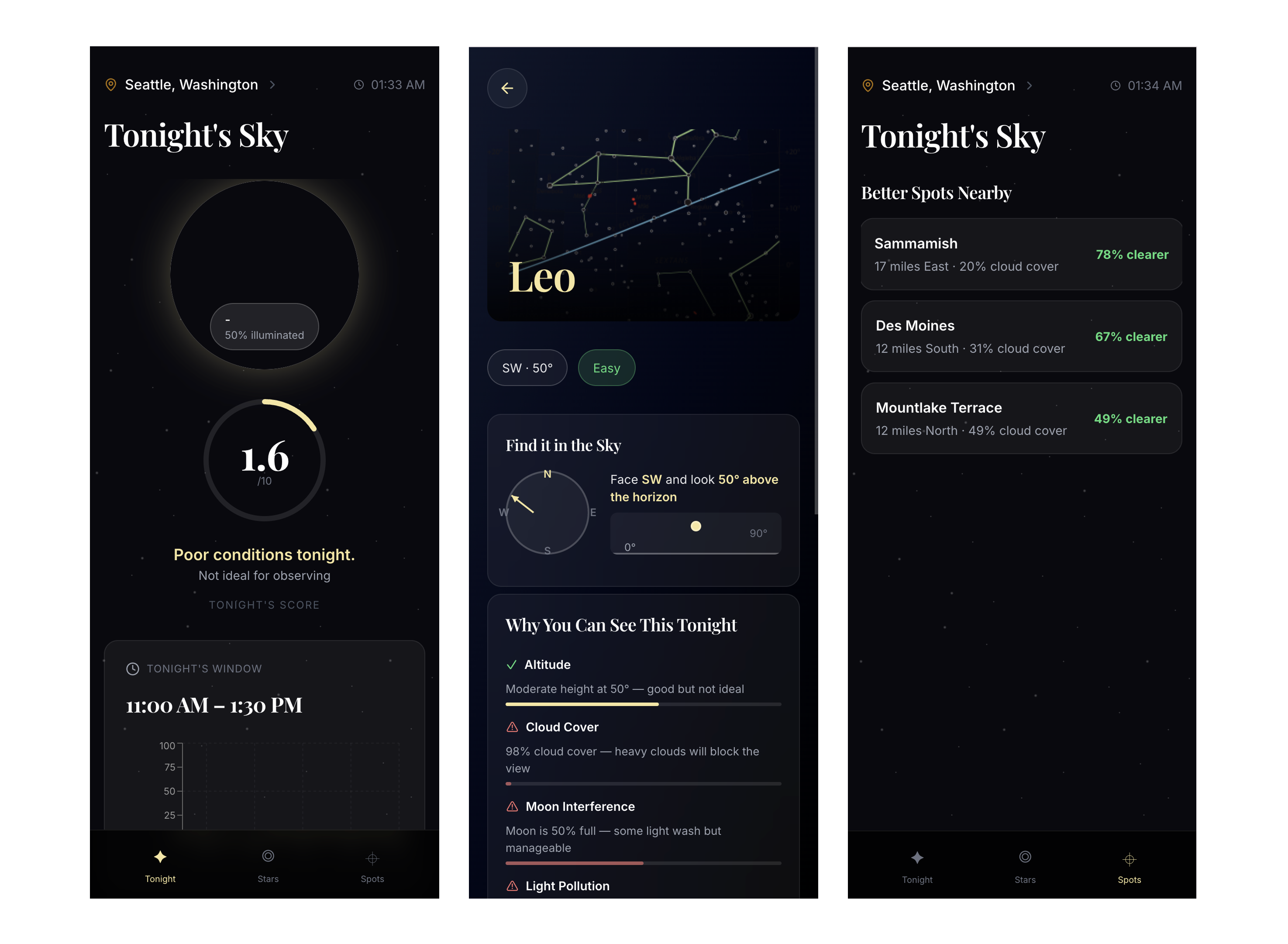
All screens designed in Figma Make — dashboard, constellation list, and detail views

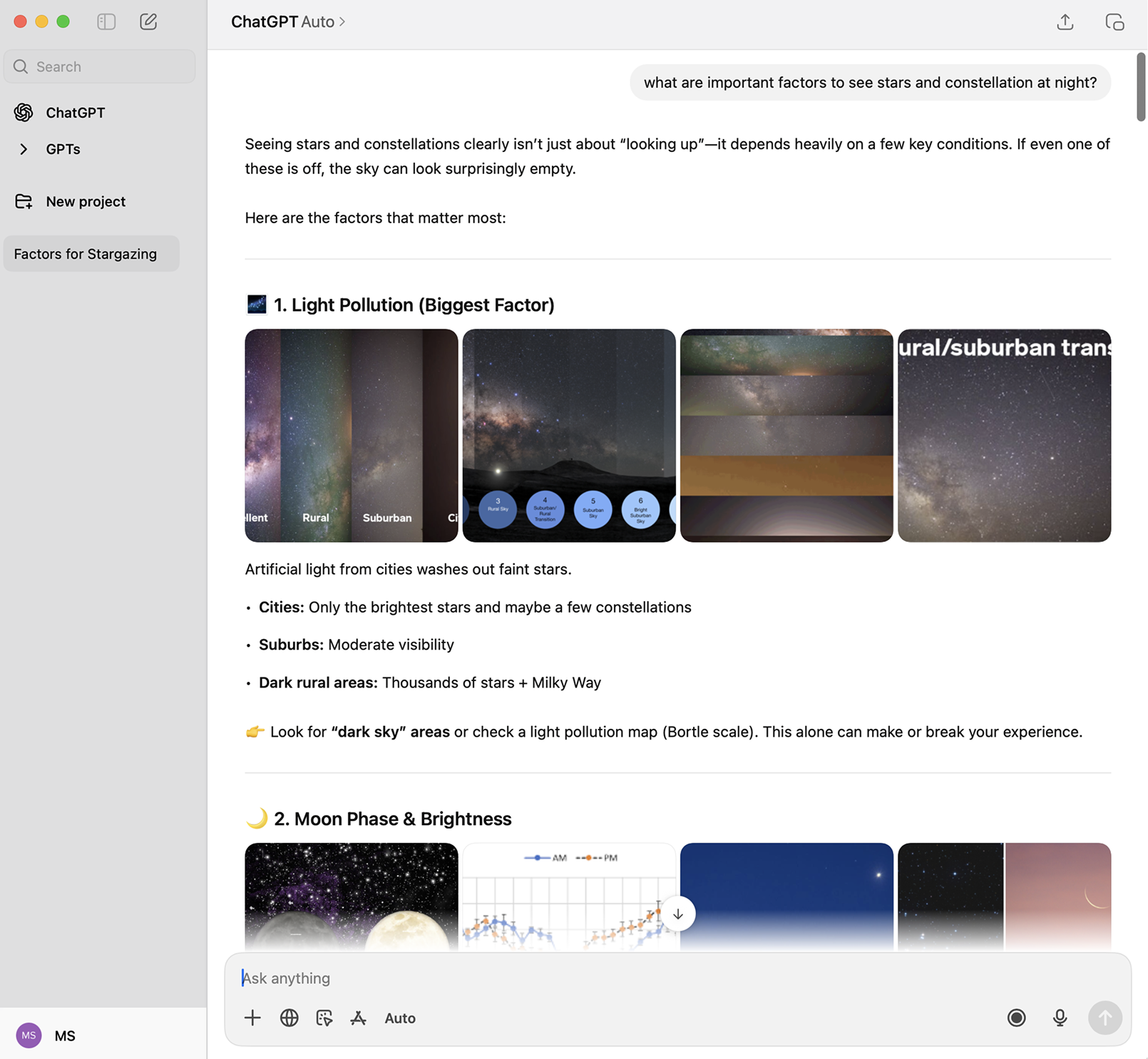
With the data layer from Project 02 defined, the next question was: what does this app actually do? I started with the basics: check conditions, figure out the best constellation to see, tell users when to go. That felt like a reference tool. I wanted it to be more useful than that, so I went back to ChatGPT and asked for a feature list. It came back with a lot. I picked what mattered.

ChatGPT generating a feature list for the star-gazing app

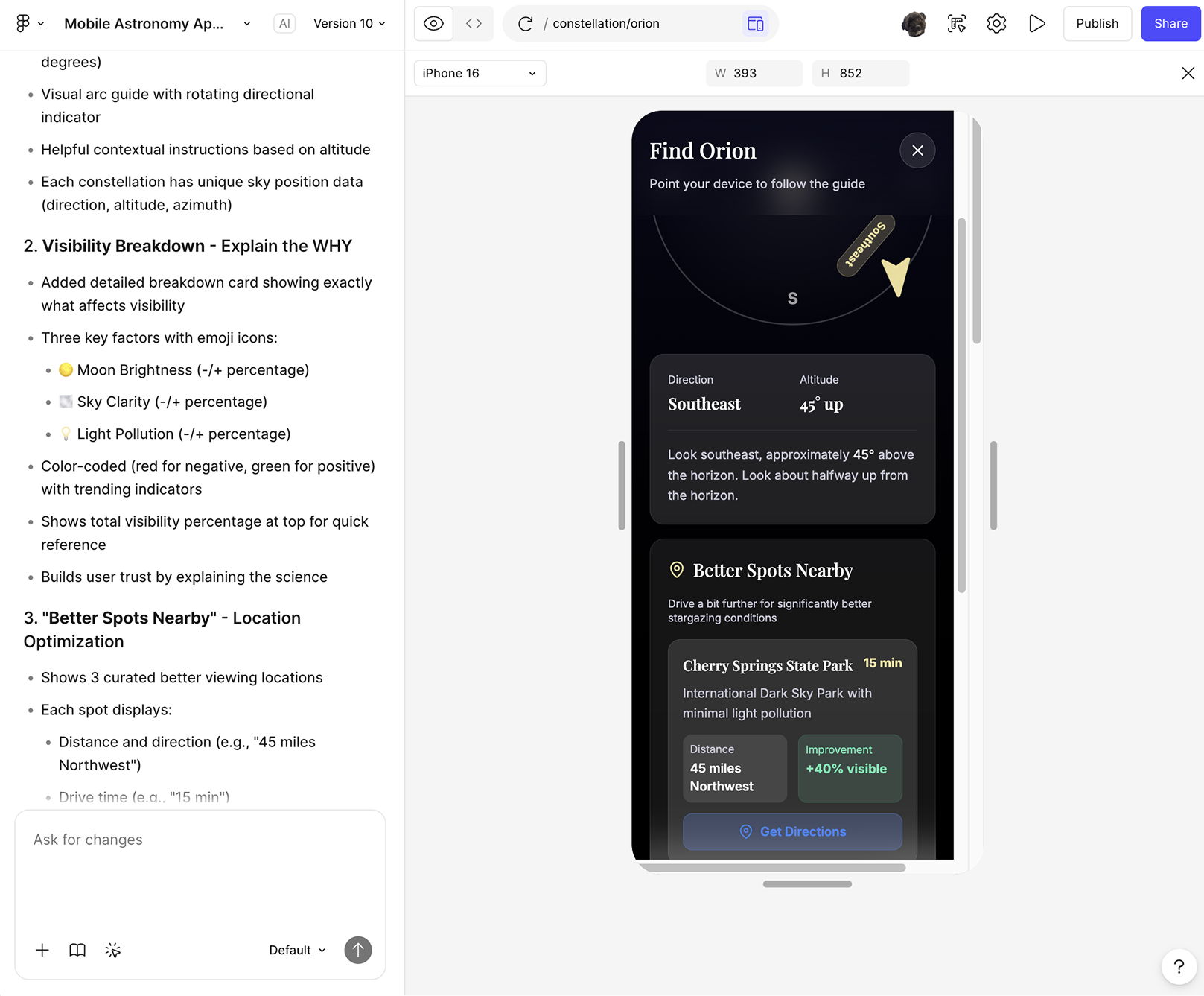
Find It in the Sky. Tap a constellation, get a compass-based direction and altitude. "Look Southeast, 35° up." This is the feature that turns the app from informational to actually useful. Without it, you're just reading about stars you can't find.

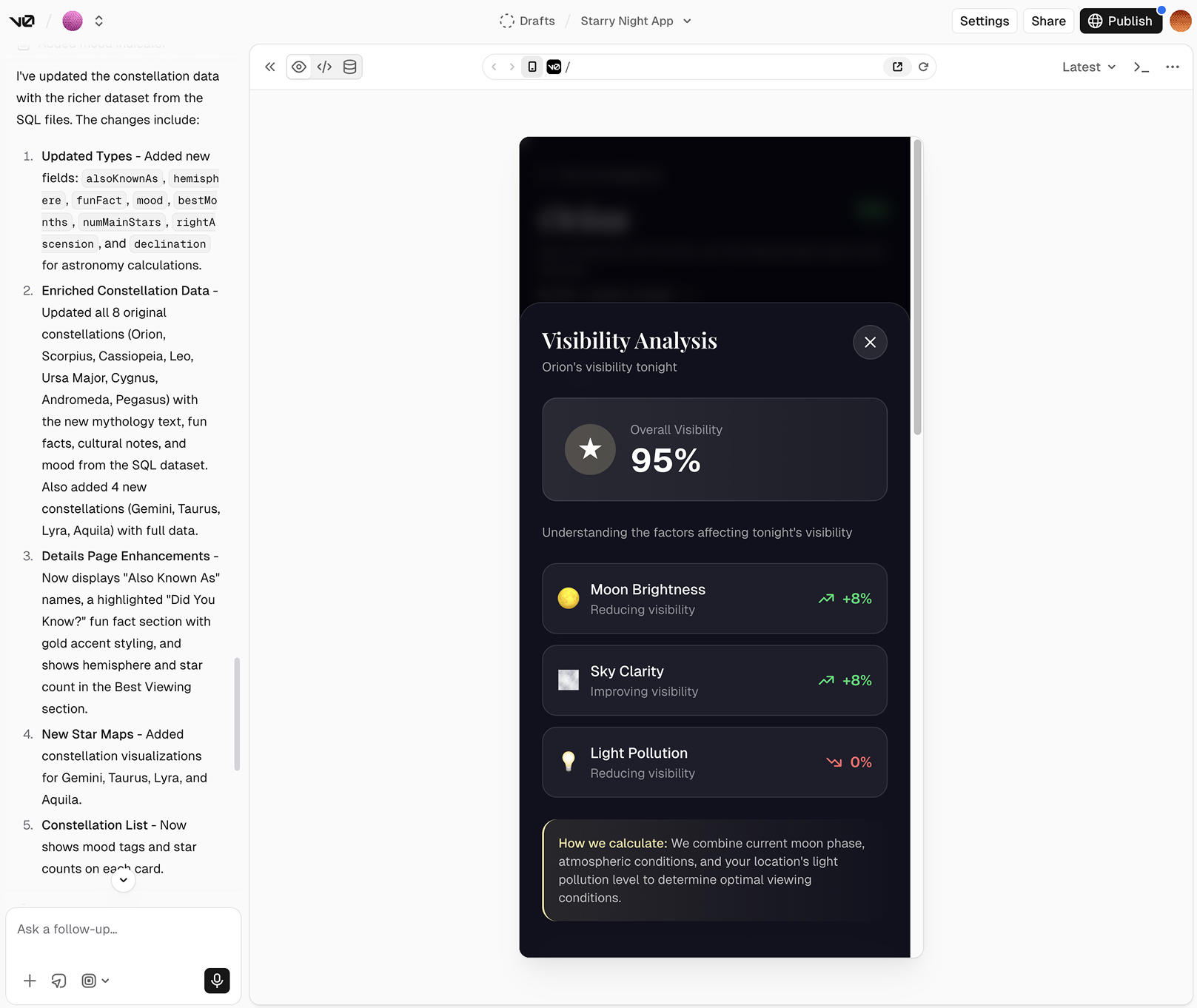
Visibility Breakdown. Instead of just showing a score, explain why. Moon brightness: -20%. Sky clarity: +30%. Light pollution: -10%. Users trust systems more when they understand the reasoning, not just the result.

Where Should I Go? Compare your current location against nearby spots. "Drive 15 min, +40% more visible stars." This shifts the app from passive to helping users make a real decision.

Everything else got cut. I didn't want to build a constellation-tracking social app or add gamification on top of an already clear purpose. What I had was enough, and overcomplicating it without adding value wasn't something I was willing to do.

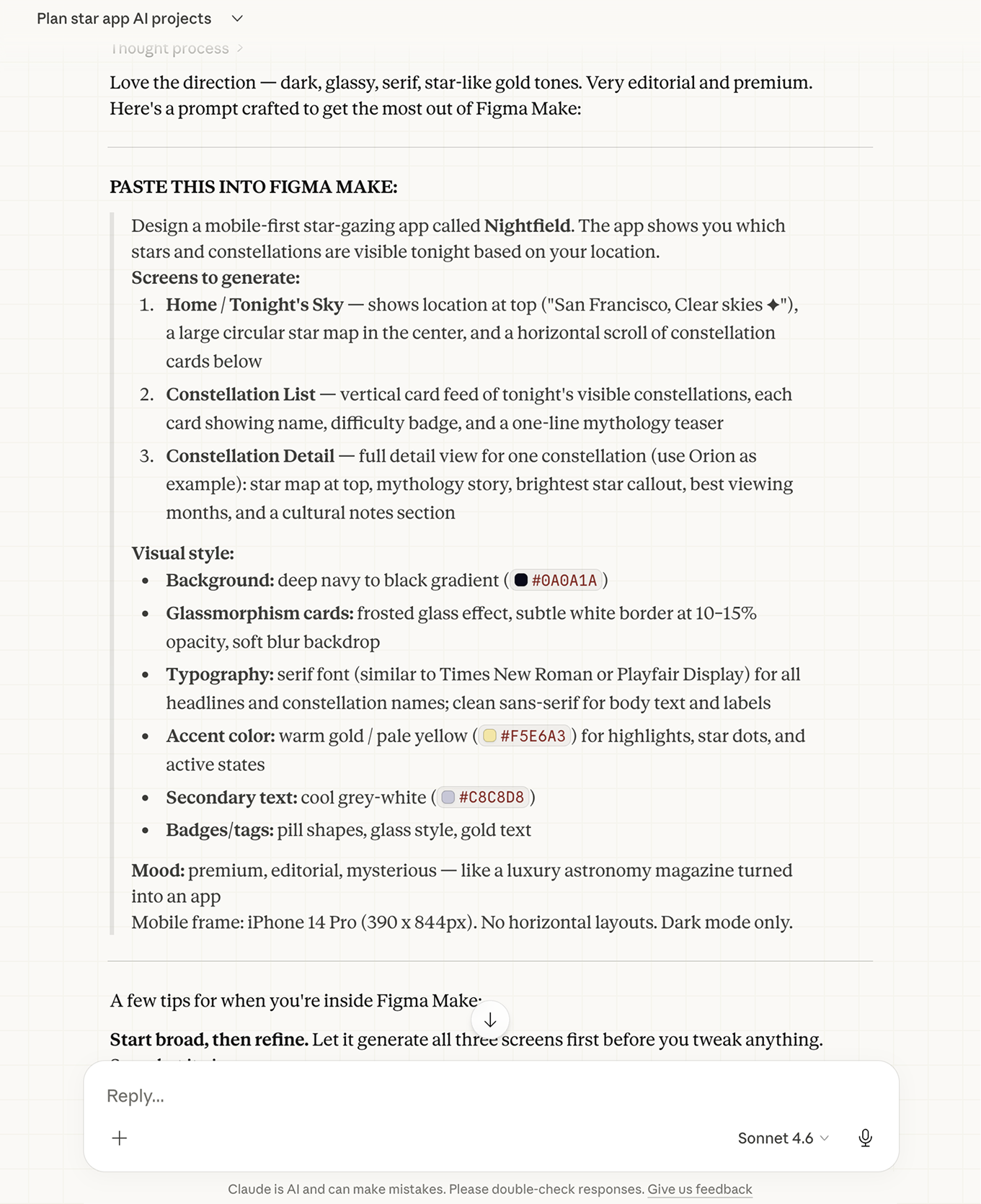
The Figma Make prompt written by Claude

I used Claude to write the Figma Make prompts, framing the app's mood, data fields, and purpose before touching anything visual. The AI got the layout structure right on the first pass. Spacing and color needed manual work. I adjusted both until it felt less "tech dashboard" and more "night sky."

Figma Make generating the constellation detail screen with feature prompts

"Feature scoping is real design work."

"AI gave me a long list. Product thinking is knowing what's valuable and what's not."
04
Claude v0 Bolt

Design → Working App

Taking the Figma designs and vibe coding a working star-gazing app. No dev experience, just prompts, failures, and figuring it out.

This was the part I was most excited about. I wanted to see how far I could get with just prompts and iteration, no prior development experience, no shortcuts. Projects 02 and 03 had given me clean data and a real design. Project 04 was about closing the loop and turning both into something that actually runs.

I started with v0. I put in the prompts and the design files, expecting it to generate a working app. It didn't. Despite detailed instructions to use specific APIs, v0 kept producing placeholder data it made up itself. The screen looked convincing — visibility scores, constellation names, percentage breakdowns — but none of it was real. First attempt: failure.

v0 output showing realistic-looking but entirely fake constellation data

After some research, I found that Bolt handles external APIs more reliably. Rather than repeat the same mistake, I asked Claude to write a detailed, specific prompt for Bolt before touching anything: describing the data structure, the design intent, and exactly what the app needed to do.

Starry Night sky app — built in Bolt with real constellation data and location-based visibility
Try it live

"Vibe coding is fast, but speed works against you without a clear foundation."

"Choosing the right tool matters. Using it right matters more."

"As a designer, the real opportunity isn't to learn how to code. It's to build things that make AI accessible to everyone."