Password Protected

This case study is password protected. Please enter the password to continue.

Work About Resume Email me
← Back to work
Government · Enterprise · Sep 2024 – Feb 2025
Workload Management Dashboard
Enhancing workload management and work tracking for HR specialists through a personalized, streamlined experience.
Role
Product Design · UX Research · Design Systems
Users
120K+ HR specialists
Agencies
140+ federal agencies
Context

USA Staffing is the federal government's platform for hiring and onboarding, used by over 140 agencies and 120,000+ HR professionals. While it supports complex recruiting workflows, much of the user experience has historically been oriented around process, not productivity. I led this project from start to finish — initiating research, facilitating cross-team collaboration, and designing a new dashboard experience focused on improving workload management, task tracking, and day-to-day usability for HR specialists.

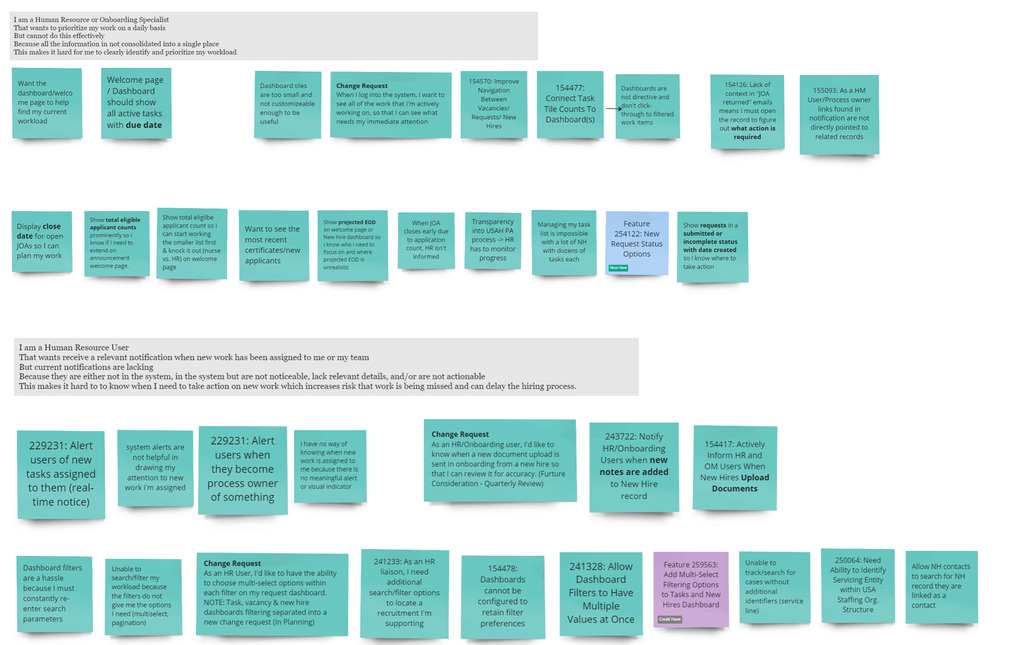
Enhancement requests received
Problem

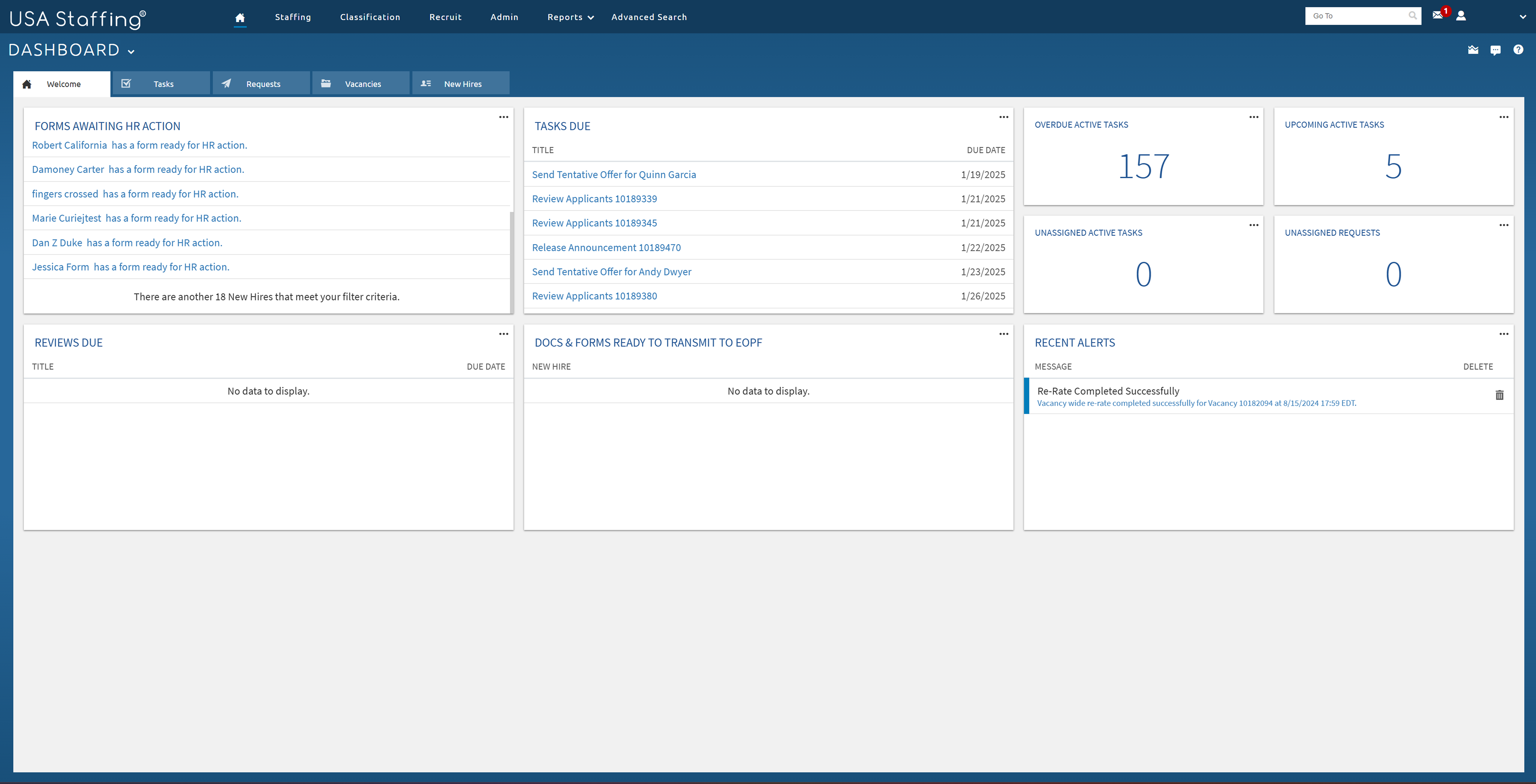
We received dozens of enhancement requests from users asking for better ways to manage their work — specifically around productivity, task tracking, prioritization, and organization. But when I mapped each request against the current dashboard, I noticed something surprising: many of the features already existed — or were at least partially available.

The real issue wasn't missing functionality — it was that users couldn't find or confidently use what was already there. This disconnect pointed to a deeper problem: poor visibility, usability, and alignment with real-world workflows.

Current USA Staffing dashboard
Goal

A redesigned dashboard that helps HR specialists manage workload, track tasks, and focus on daily priorities with clarity.

The goal is to streamline task visibility and align the dashboard with real HR workflows, reducing confusion and supporting productivity without disrupting core hiring and onboarding processes.

Constraints:

  • Integrate seamlessly with existing permission models
  • Align with the system's current design pattern
  • Avoid changes to recruiting/onboarding logic
Research

Given the disconnect between user requests and existing features, I wanted to understand how HR specialists were actually managing their workloads — and why the current dashboard wasn't meeting their needs. I conducted a 4-week qualitative study with HR specialists and leads across several federal agencies. Through contextual observations and follow-up interviews, I captured how users tracked tasks, prioritized work, and collaborated with their teams in real-life settings.

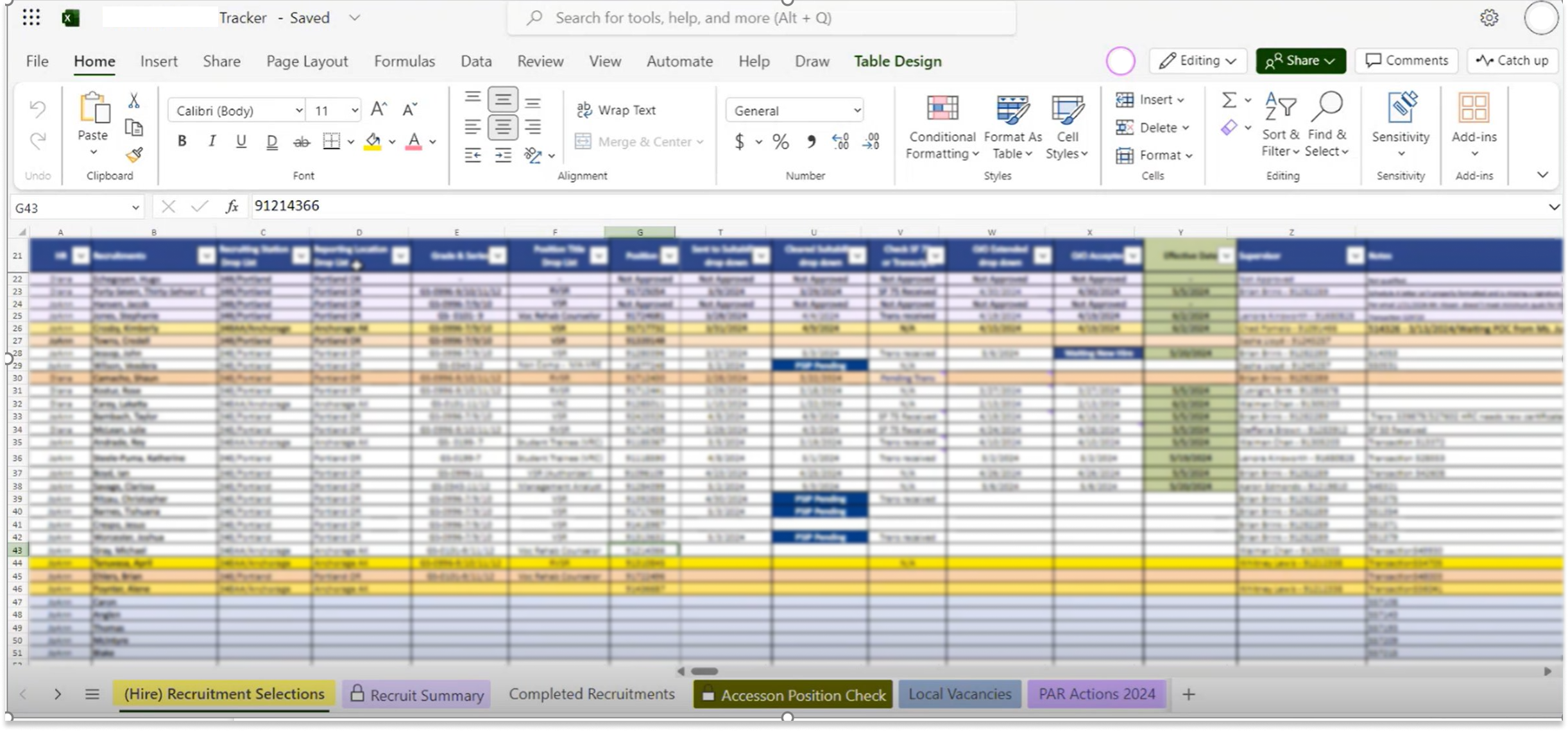
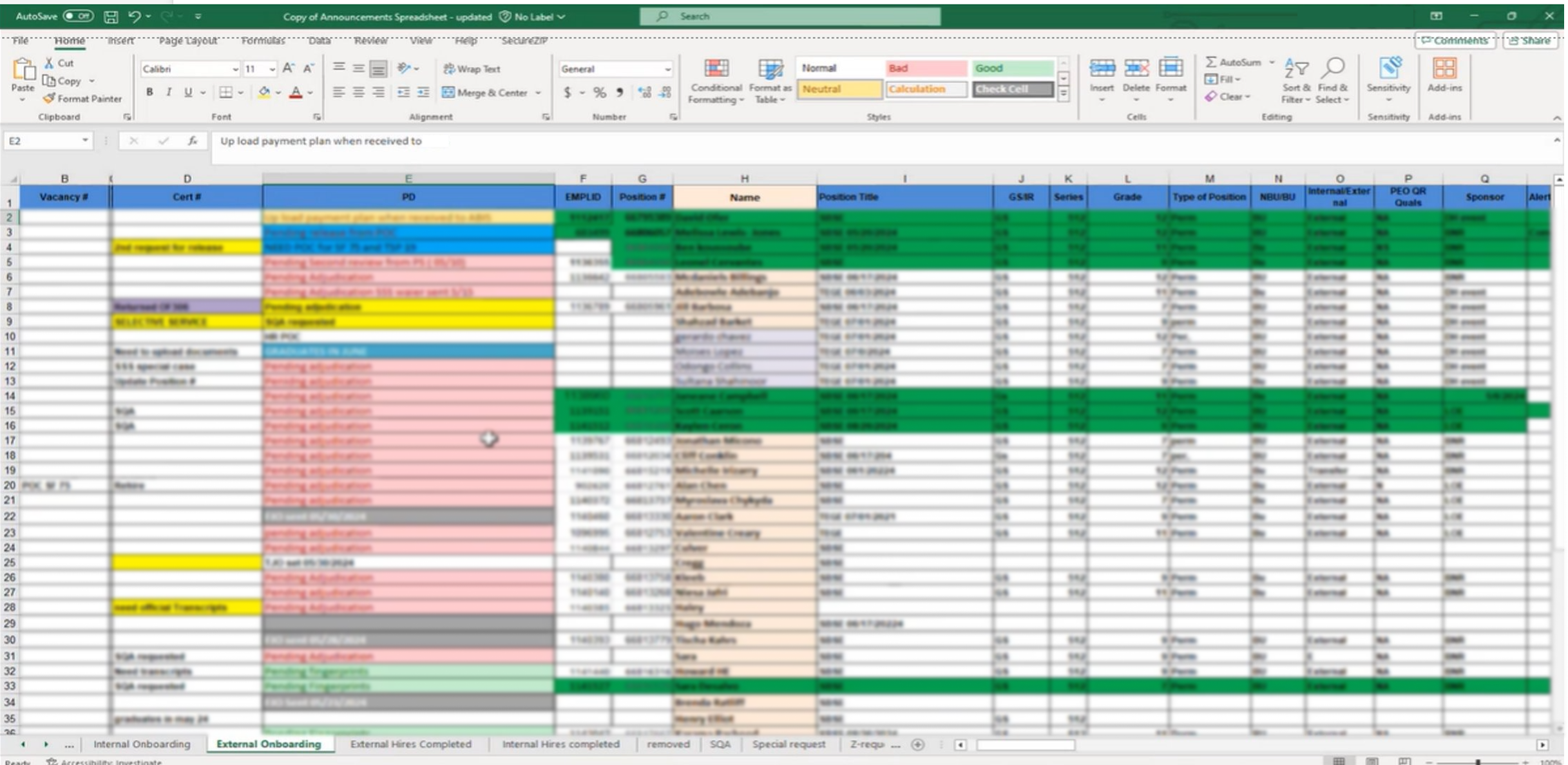
External tracker — spreadsheet External tracker — shared tool

Key Findings

External tool reliance

Most users relied on external tools like Excel sheets, sticky notes, or shared trackers to organize their work.

Deadline-driven prioritization

Task prioritization was deadline-driven, but difficult to manage within the system.

Feature underutilization

Features meant to help were often underutilized due to poor visibility, unclear labeling, or rigid workflows.

Team coordination gaps

Teams lacked a shared way to view and track progress, leading to duplicate work and communication gaps.

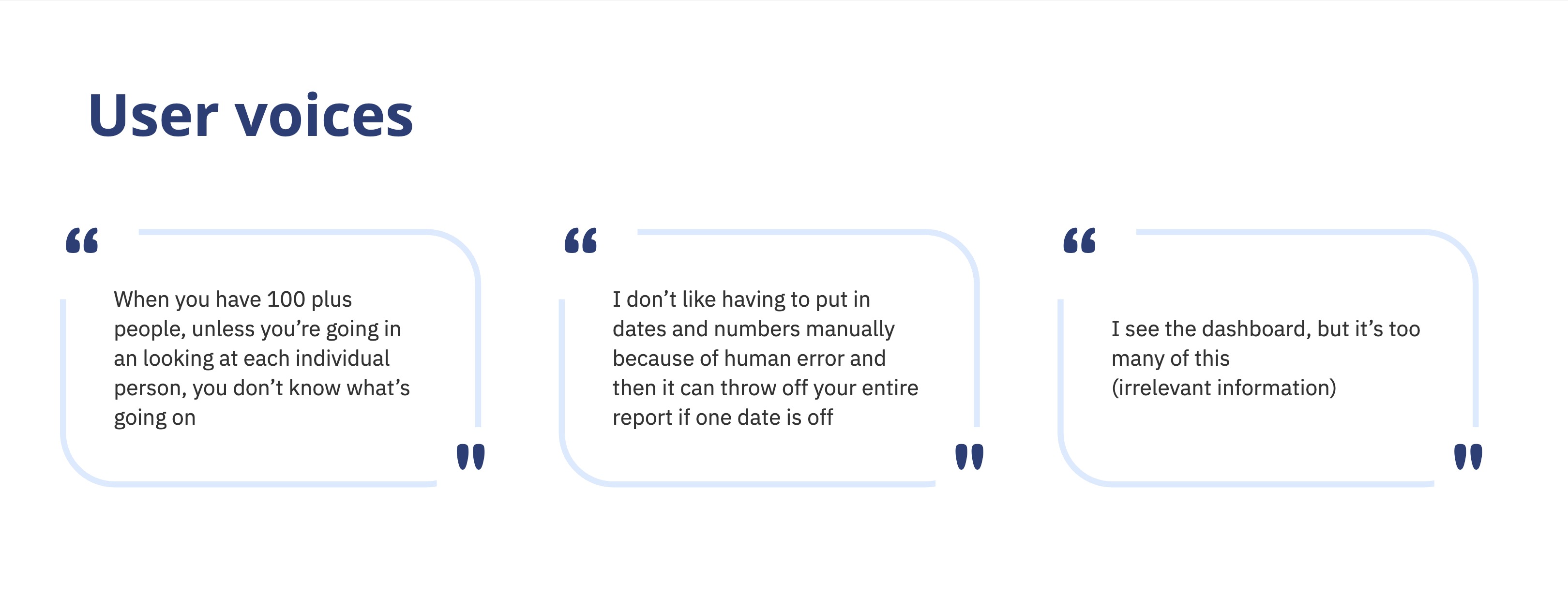
User research quote

Opportunity Areas

Task Management
Information Visibility
Automation
Customization
Communication
Integration
Workshop

Cross-functional Ideation

I organized and facilitated a 2-hour cross-functional design workshop with product owners, business analysts, developers, and designers to align on goals, prioritize ideas, and map out feasible directions for improving workload management.

Workshop Prep

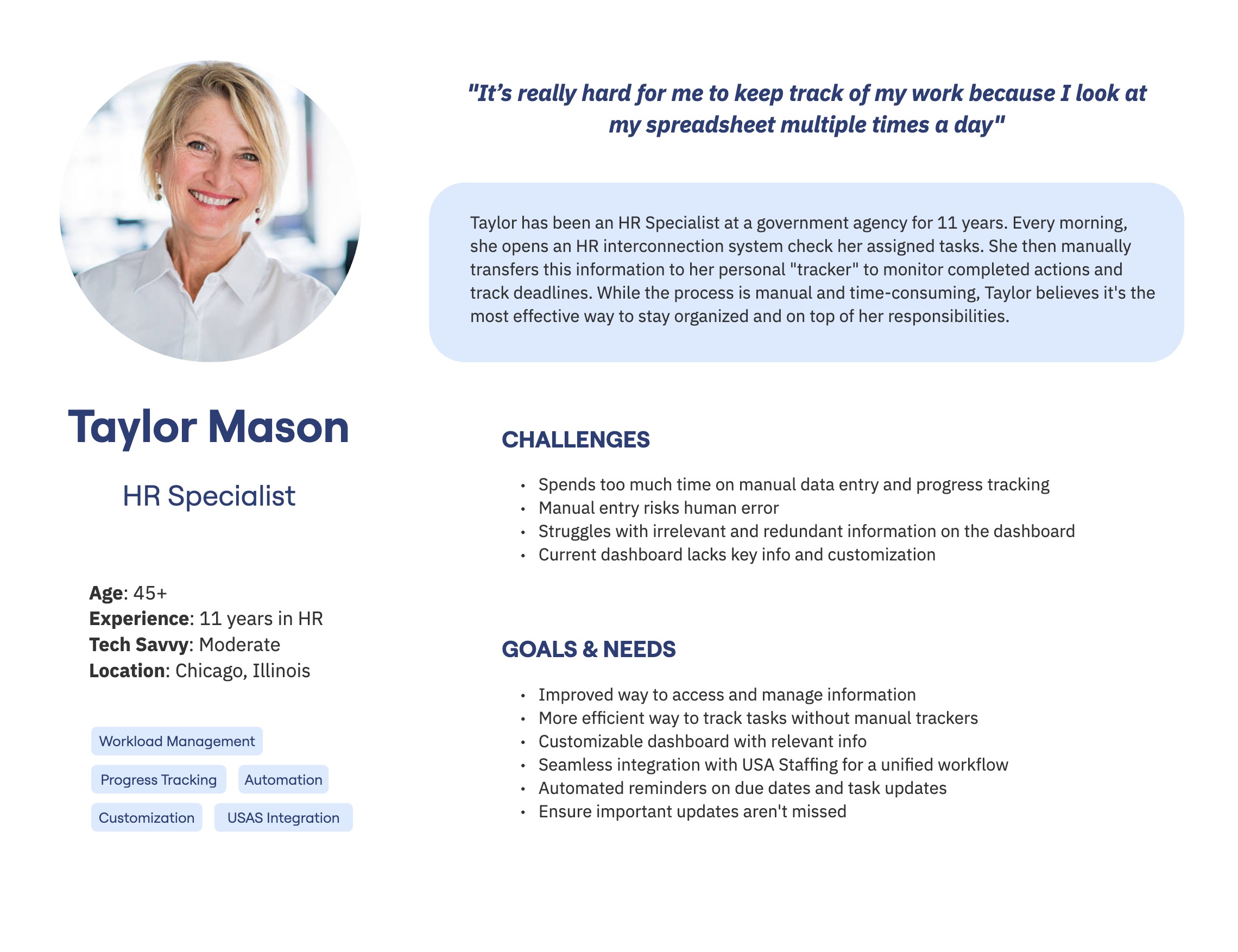
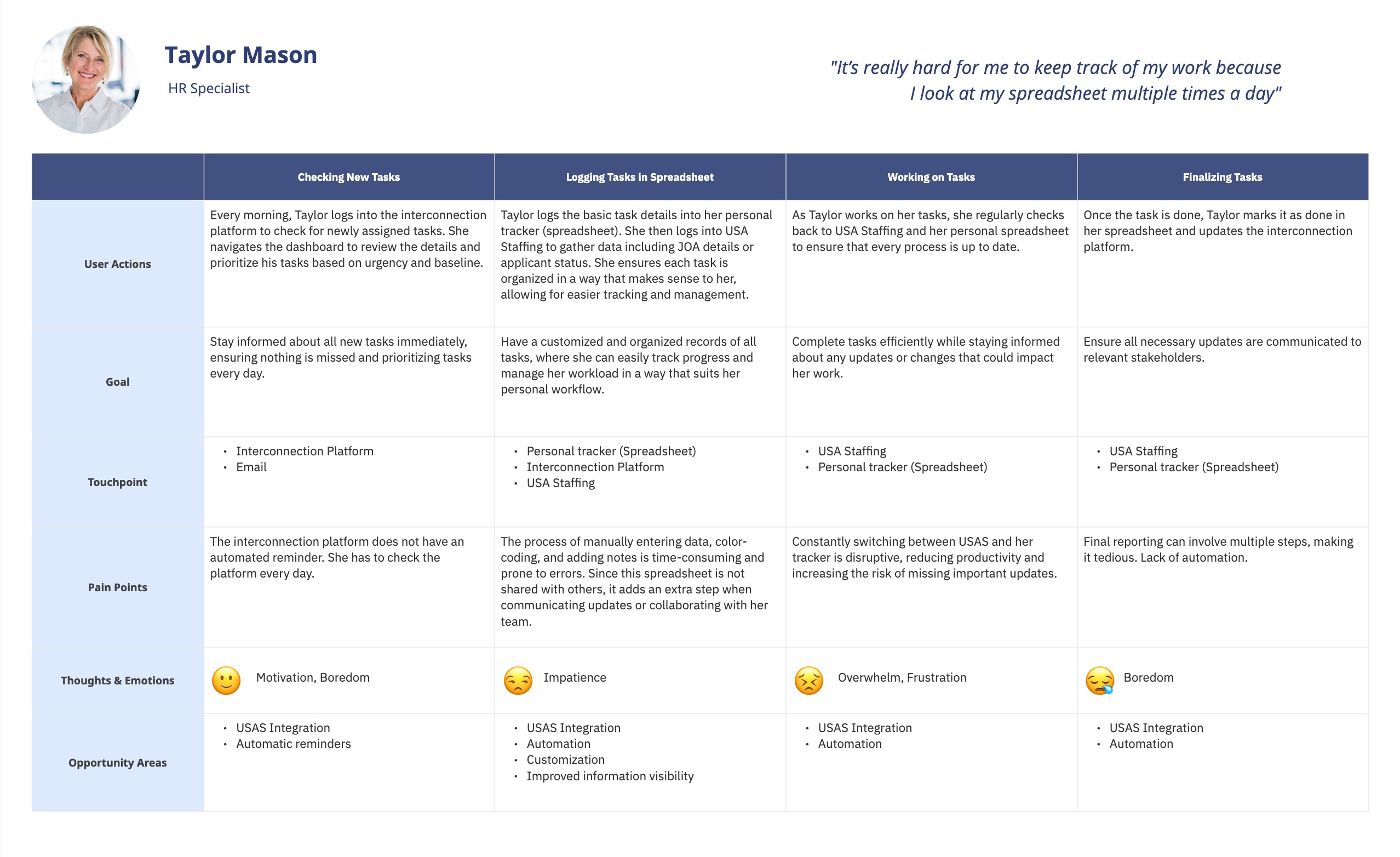
I created a persona and journey map to communicate key research insights to stakeholders who weren't part of the interviews — ensuring everyone was aligned on user context before the workshop.

User persona User journey map

Workshop Activities

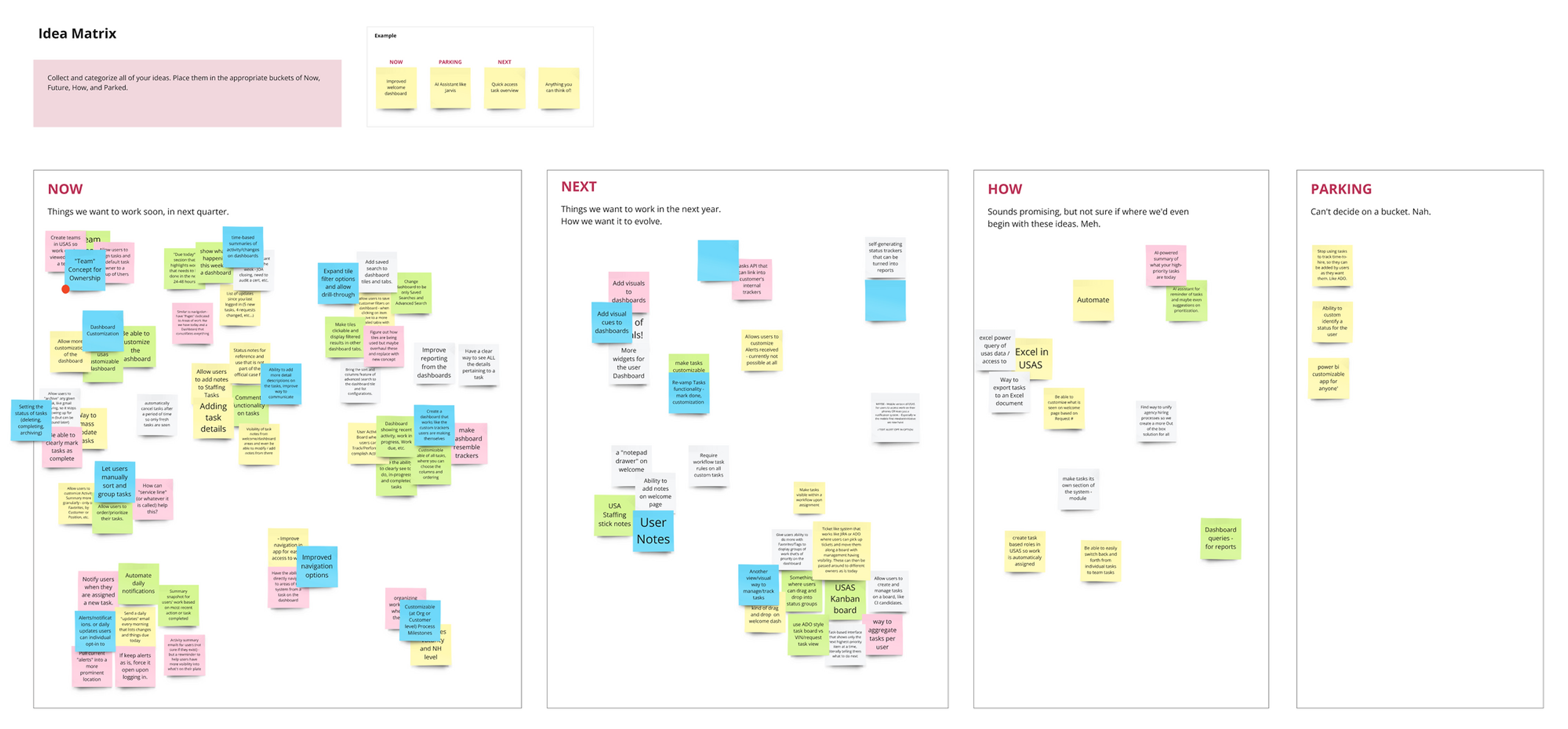
I started the session with a quick Crazy 8s exercise to encourage divergent thinking and surface a wide range of ideas. Then I guided participants through a prioritization activity, organizing ideas into a Now, Next, How, and Parking matrix to evaluate feasibility and impact.

Workshop — prioritization activity
Design

A combined elements of a project management board and a tracker — supporting both workload management and task tracking, creating a clearer, more flexible experience that matches how users naturally work.

Design Highlights

Task Management

Grouped tasks summarize work at a higher level. Subtasks are grouped into larger tasks, reducing clutter and helping users to see the big picture.
Highlighted key stats using tiles. Important numbers are shown at a glance for quick task tracking.
Faster navigation with recent activities. Users can quickly return to tasks without opening each to check progress.
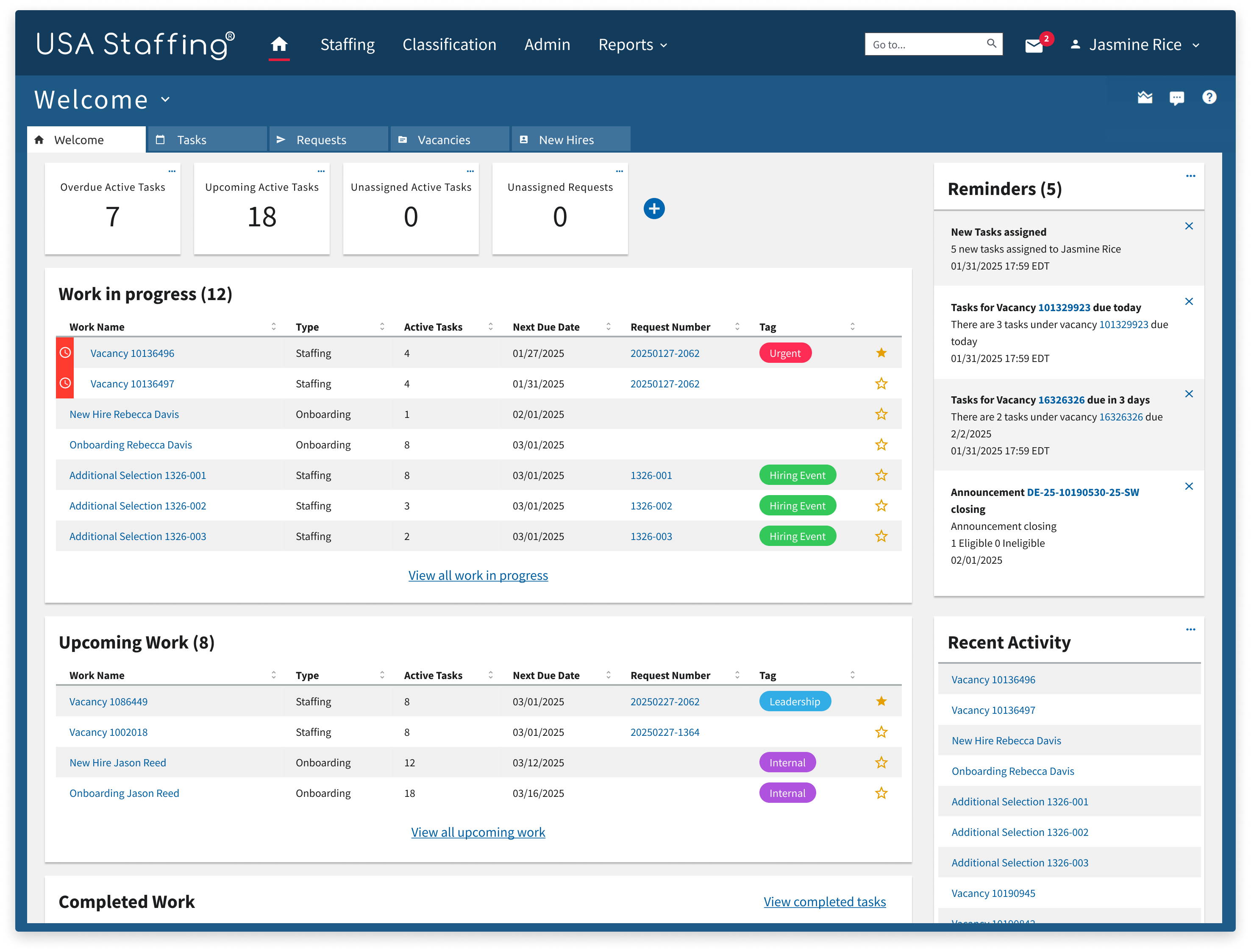
Dashboard — task management

Customization

Personalized tiles. Users can choose what fields and stats matter most, tailoring the dashboard to their personal workflow.
Dashboard — customization

Information Visibility & Continuity

Improved task visibility. Users can see all their subtasks together without switching between screens.
Detailed context. Task descriptions, metadata, and status indicators provide clarity at a glance.
Consistent design patterns. Reusing page layouts and table design elements to reduce confusion and maintain consistency.
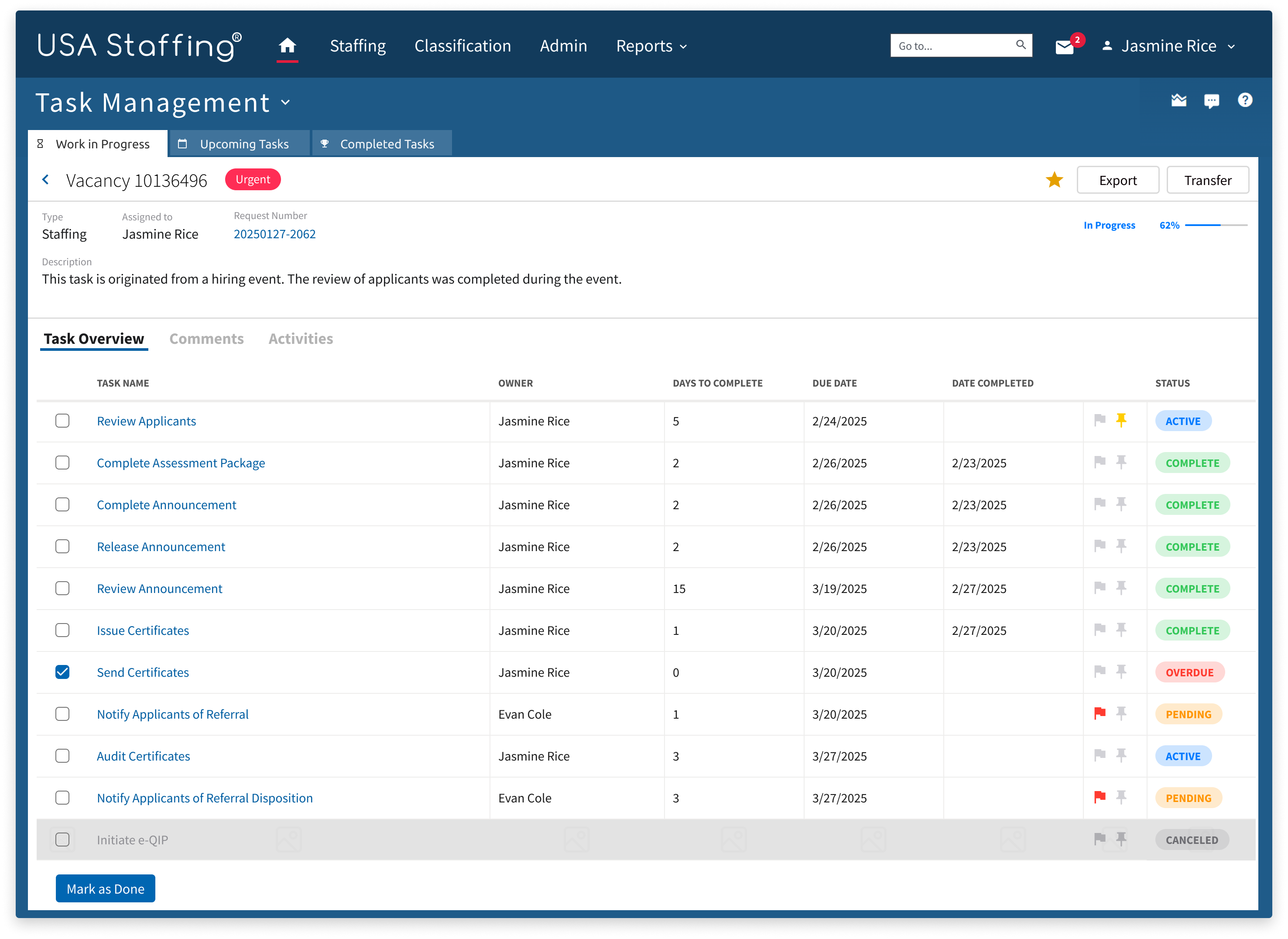
Dashboard — information visibility

Communication & Collaboration

Improved communication through comments and threads. HR specialists can coordinate, transfer, and share tasks more effectively when discussions stay tied to the work itself.
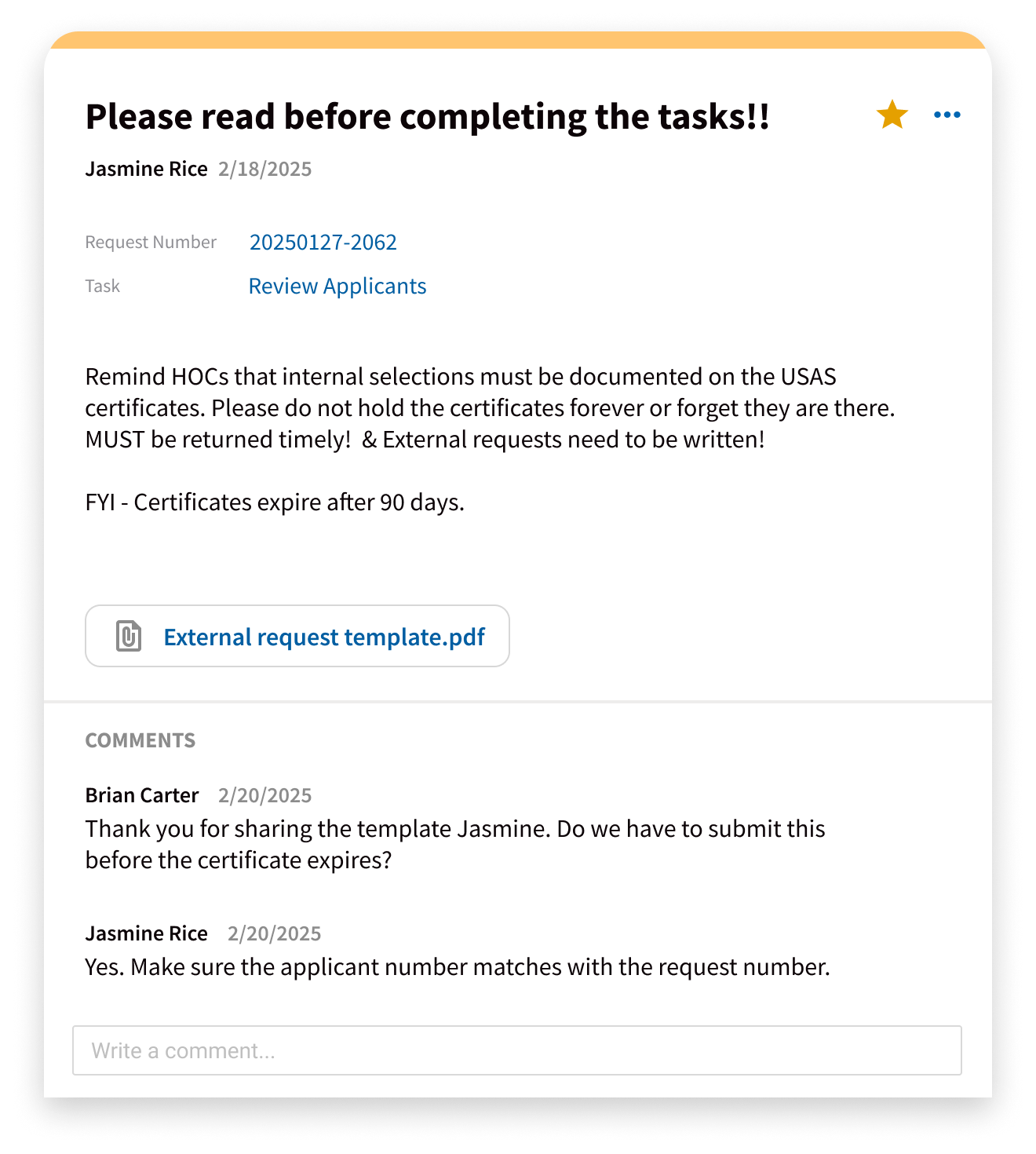
Dashboard — communication and collaboration
Outcomes
9/10
Users found their most urgent task in under 2 minutes
30%
Reduction in average task completion time during testing
120K+
HR specialists across 140+ federal agencies

Early usability testing with HR specialists across multiple federal agencies showed immediate, confident engagement with the redesigned dashboard — users navigated tasks they previously tracked in spreadsheets entirely within the system.

  • Reduced reliance on external tracking tools like Excel and sticky notes
  • Enabled faster, more confident task prioritization without switching contexts
  • Improved team alignment through shared task views and status visibility
  • Provided a scalable foundation for future workload management features

The project became a strong example of how user-centered design, cross-team collaboration, and strategic research can come together to influence product direction — supporting our team's growing emphasis on research-led, collaborative design practices.

Reflection

This project was a chance to lead research through design and see its impact firsthand. The workshop I facilitated not only aligned stakeholders but also demonstrated the value of collaboration in shaping product direction. Listening directly to our users and observing their workflows ensured the design reflected real practices, and emphasized the importance of practical, usable solutions.

← All work Next project Remote Onboarding Redesign →